For the past couple of weeks I’ve been running a scrum-for-one framework on a real project. Enough sessions in to see the payoff: tighter planning, tracked velocity, and a self-learning loop that stops me from repeating the same mistakes.
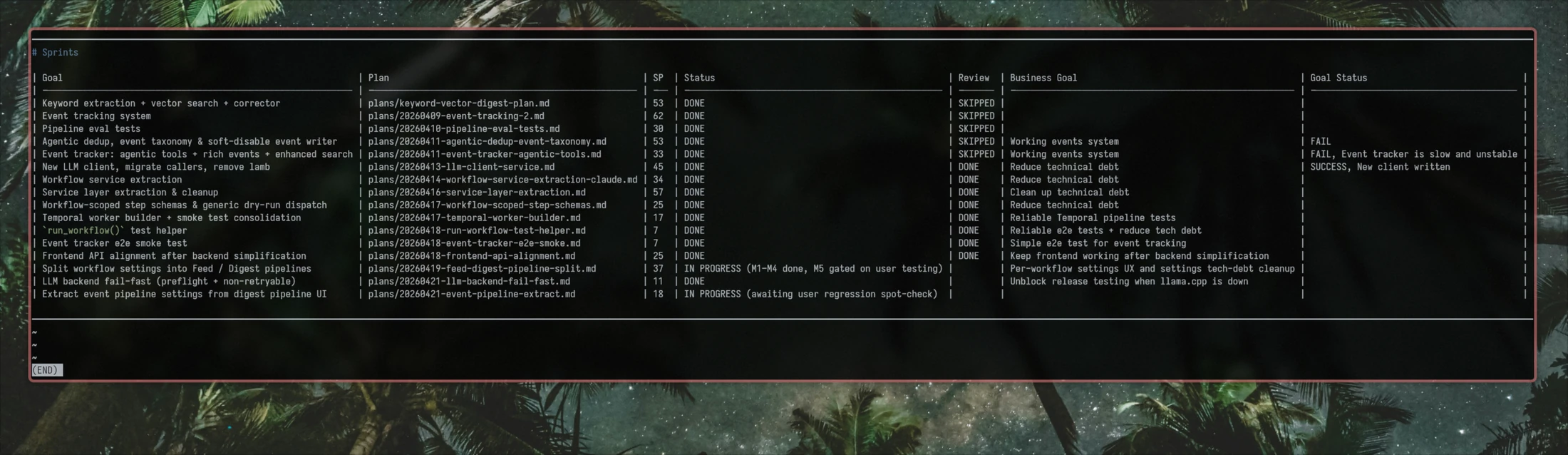
But the MVP was an MVP, with its limitations and trade-offs: skills updated their own SKILL.md files in place, artifacts were shared across every project, and so on. So I decided to push it further. I wanted hands-on experience building a non-trivial plugin, and a chance to fix those limitations. The result, booping, is now published as a Claude Code plugin (alpha).
For better context, let me recall the cycle of the scrum-for-one framework:
/groomstarts a planning session, researches the codebase and the web for whatever it needs, and returns a plan to the user for review./developimplements the plan, validates the result, and hands back to the user for code review and feedback./retroanalyzes session logs for tensions and change requests, then challenges the user on their experience with the sprint and the specific issues it surfaced./learnconverts the verbose, project-specific retrospective into concise lessons placed where they belong: the always-injectedlessons/directory, or extra instructions tied to a specific skill or agent.
Now that you have quite a bit of context, let me share the patterns and anti-patterns I spotted while working on the booping skillset.
Anti-Patterns
I knew something was off when half of my 5x plan was getting eaten by a single planning session. The MVP had never been more token-hungry than you’d expect from a tool that researches, drafts, and validates a plan. Other skills also started burning through tokens. The new version was voracious. I had to do something about it, so I went looking for root causes.
Map-of-Content
I named it after Obsidian’s Map of Content approach: one note that links out to many others on a topic. My first version had a preflight section at the top of each skill, with ten or so references to supporting docs shared between skills: plan statuses, allowed transitions, project name resolution, lesson loading, and so on.
The cost is the ReAct loop. Agents reflect after every tool call. Ten references means ten Read calls and ten reflections: “okay, now what did that tell me.” Each reflection burns tokens, adds context, and slows the real task down.
Agent Mesh
In Claude Code, you can spawn agents and delegate specific tasks to them. In theory, this lets you pick a cheaper model for the task, save the main context from rot, and parallelize work.
But spawning an agent means loading context into it. You either pass it in the request, inject it into the agent’s markdown, or have the agent fetch it itself by reading the codebase and lazy-loading docs. If several agents share the same context, you pay that load once per agent instead of once per session.
During experiments with plan quality, I had a PM, a QA-Lead, and a Tech Lead all planning from different angles. Each one needed enough project context to reason over a big plan. The overhead tripled.
Details Oversharing
Claude loves adding context that nobody asked for. Explain the full sprint framework and estimation principles to the developer agent that just writes code? Sure. Give the planning skill the complete state machine, including statuses it can’t touch and transitions it can’t make? Hold my beer.
The result: skill and sub-agent contexts get polluted with information they don’t need, drift on decisions they shouldn’t be making, and burn tokens warming the ocean.
Patterns
Context-Isolated Agents (the good version)
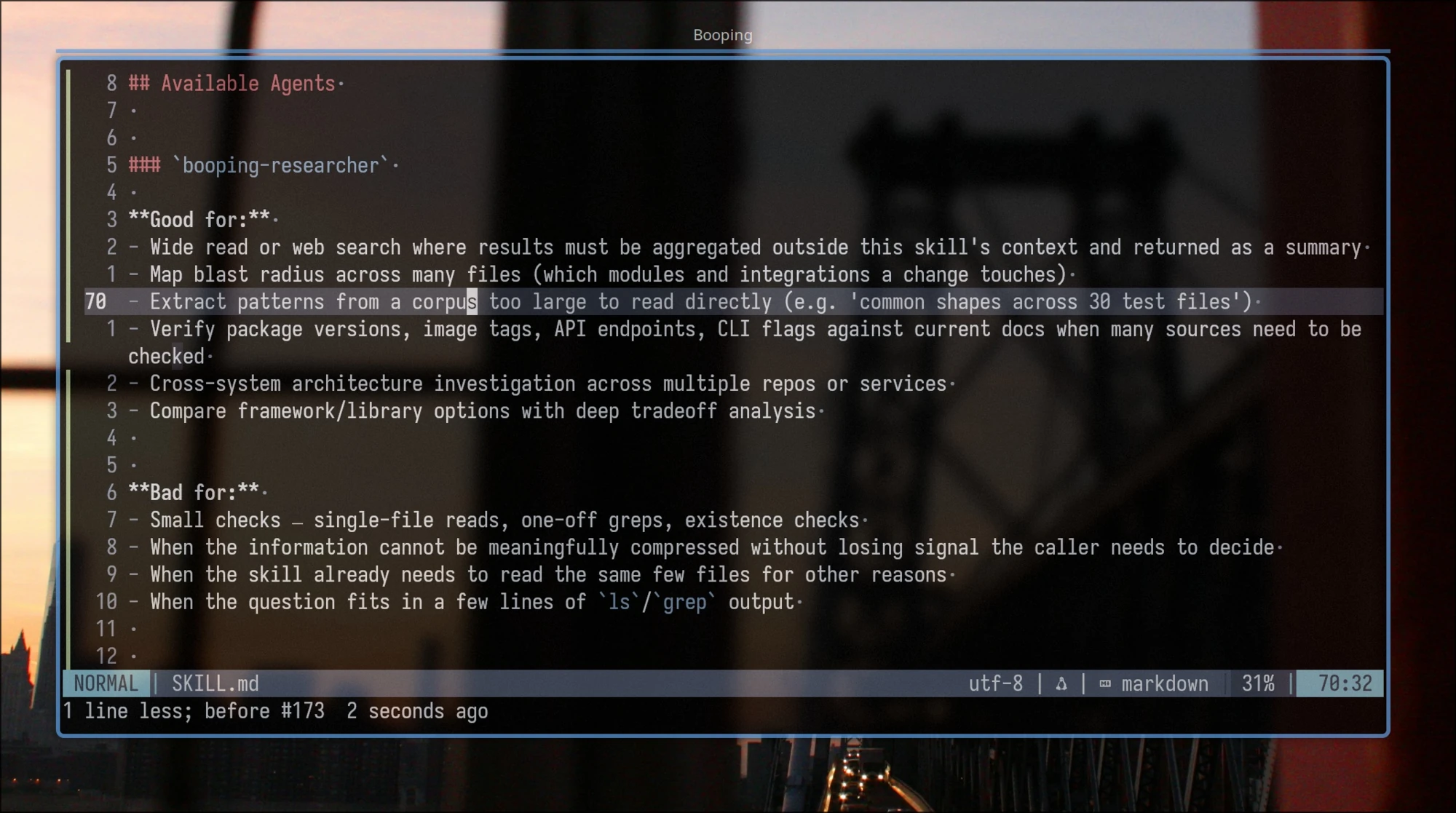
Agents earn their place when a task is token-heavy but a lossy summary is enough for the parent.
Good fits:
- Scanning a set of test suites for patterns in use.
- Web research with a bounded question.
- Writing the code for an approved task from a plan, without polluting the skill session.
Bad fits:
- Anything the parent skill needs to reason over when the summary isn’t enough.
- Multiple agents that need to load nearly the same large context, e.g. planning code changes and test coverage for one feature across a big codebase.
!scripts
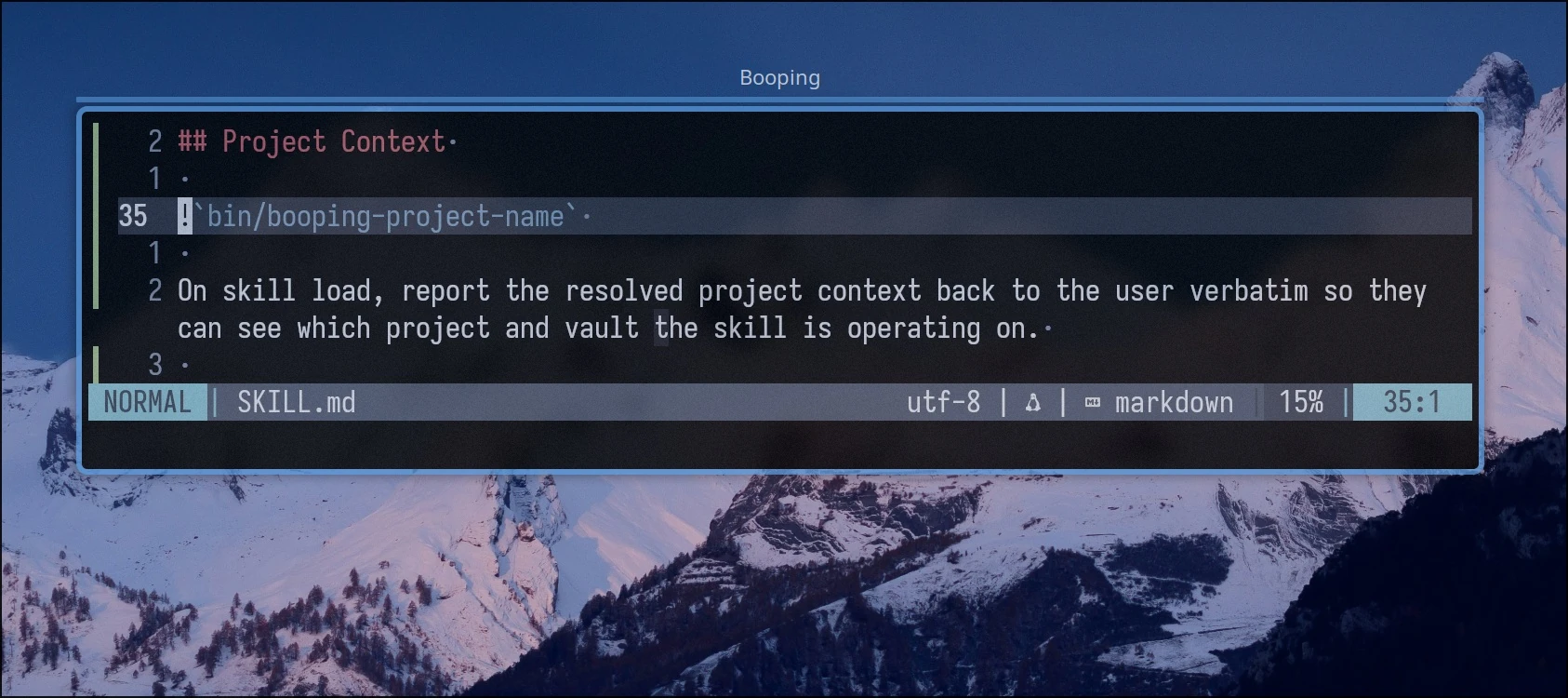
Claude Code skills support shell interpolation with a ! prefix: the command runs at invoke time, and its output is pasted into the skill content before inference starts.
I replaced the “how to resolve project name and artifact directory” doc with a script. The script returns either the resolved values, or an init instruction block if the project hasn’t been set up yet. Same for lessons and per-skill extensions: every skill needs them, so I inject them with !`bin/booping-lessons` instead of teaching the skill how to load them.
Good fits:
- Loading information a cheap script can fetch without an LLM.
- Dynamically shaping skill content. You can even render the whole skill from a template this way.
Lazy Context via Doc Links
Lazy loading is useful for information a skill needs only when a condition is met. To avoid wasting context, and to keep the model from being distracted by something it might never reach for, use markdown links with instructions for when to load them.
See [bug workflow](docs/workflow_bug.md) for bug-specific steps.
See [feature workflow](docs/workflow_feature.md) for feature-specific steps.
See [refactor workflow](docs/workflow_refactor.md) for refactor-specific steps.
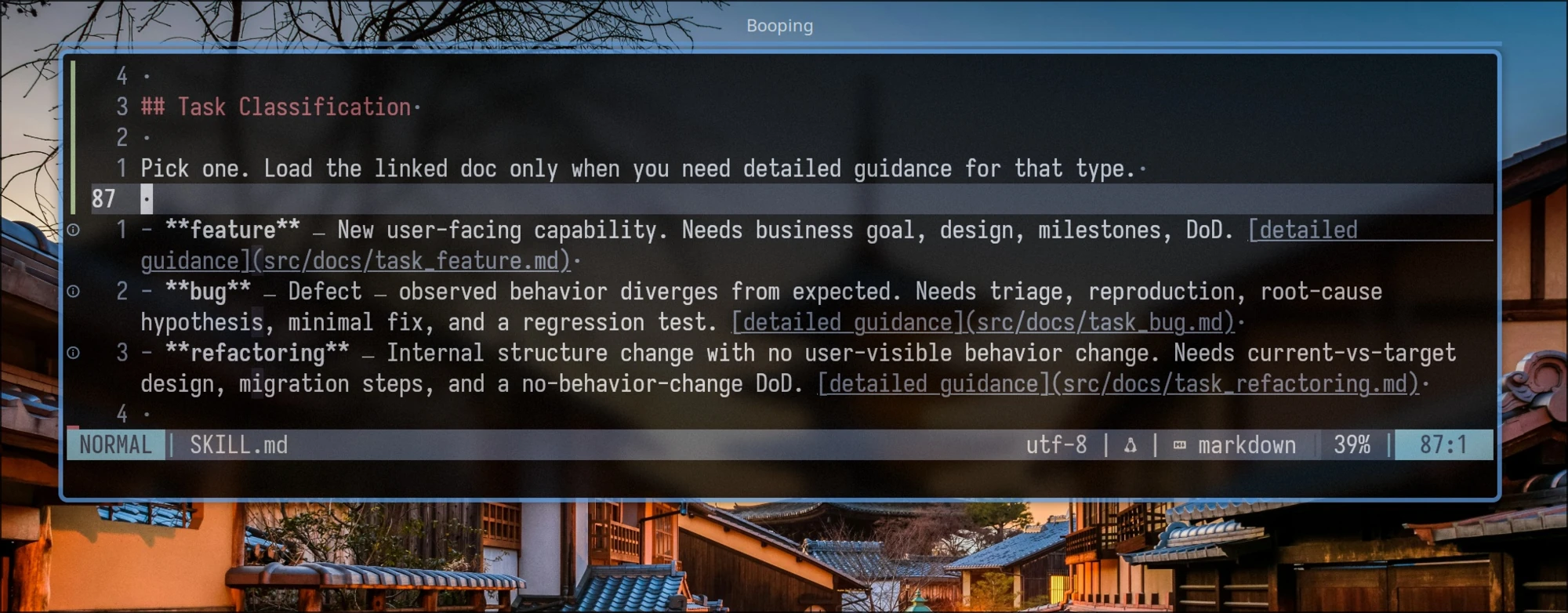
In my case, plan templates differ by stack: backend, frontend, CLI, Claude skills. Each template ships with a short description. /groom reads those descriptions, picks the matching template, and loads only that one.
Good fits:
- Selecting a template, agent, or guide based on information inferred at runtime.
- Deferring information until a specific moment. The plan-summary format only matters at the end of
/groom, so there’s no point loading it earlier.
Bad fits:
- Information critical to the skill’s operation.
- Guides shared across skills. Each lazy reference triggers a tool call and a reflection step on top.
Templates
Templates are good for sharing common parts between skills. They also support conditions, loops, and variables. You can extract skillset parameters into a config file: in my case, the plan state machine, sprint parameters, and agent mapping all live in config.
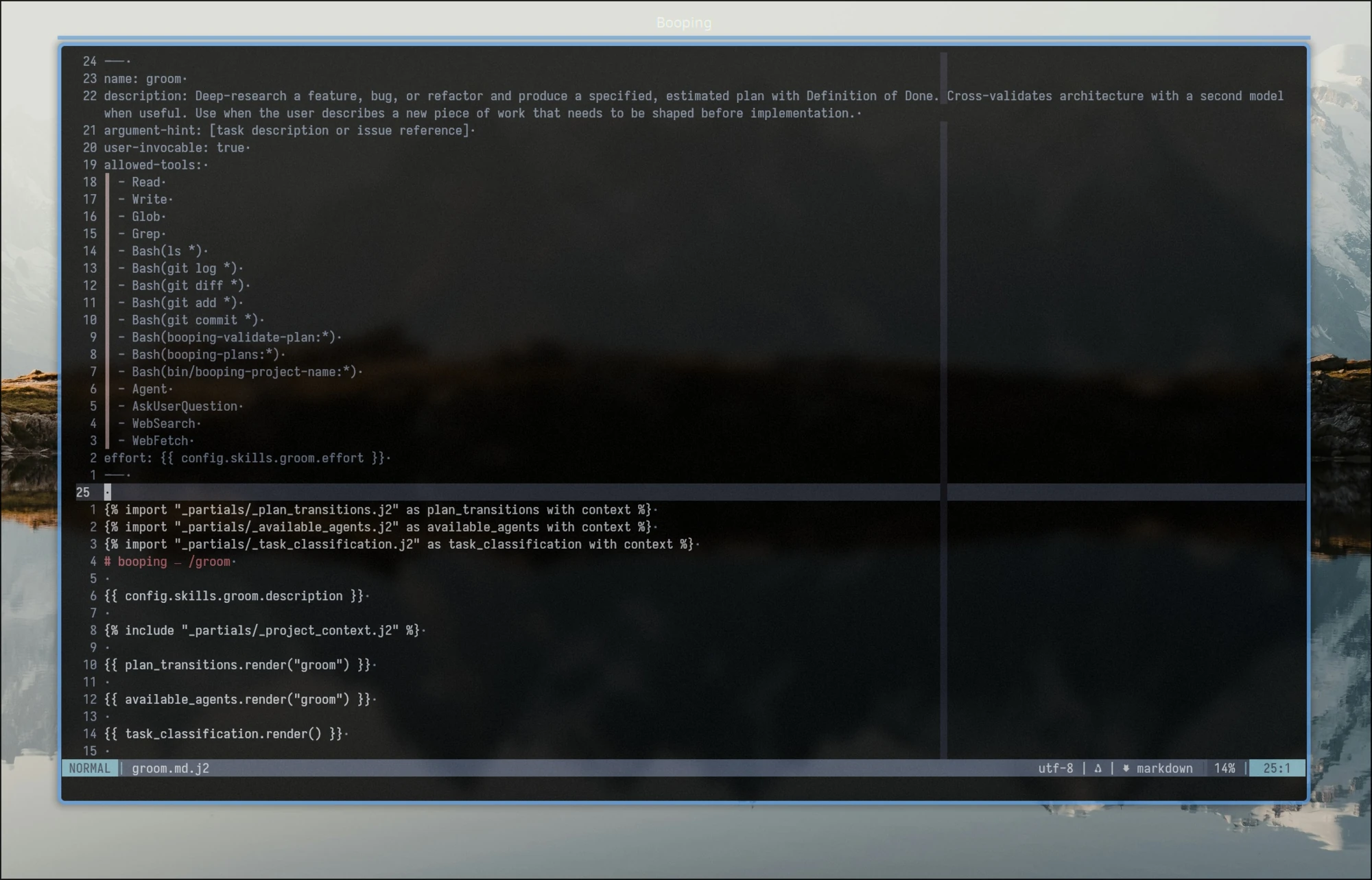
Good fits:
- Sharing and statically embedding common parts across skills.
- Rendering logic: loops, conditions, variables.
- Prompts as code: parameterized rendering of skill markdown.
Information Hierarchy
In my experience, Claude Code is pretty bad at managing information hierarchy on its own. But hierarchy matters as much in a skillset as it does in software architecture: better boundaries today mean cheaper maintenance later.
Imagine you have plan statuses, transitions, and five skills. Each skill operates over its own subset of states, and there’s a project-wide rule like “commit changes after each edit.” Two designs:
- Each skill hardcodes the statuses and transitions it cares about, plus situation-specific handling, plus a few “important” claims like “always commit plans after changes.”
- Each skill embeds a dynamic template that renders only the statuses and transitions it can touch. Skills never duplicate or extend that information themselves. Instead, they focus on producing their artifacts (“build a plan and confirm it with the user”) and defer to the shared template for anything transition-related.
Now imagine a change request: rename a few statuses, then replace the git-commit instructions with Claude Code hooks. How does each design handle it?
- Broad edits across every skill, with a real risk of ending up with inconsistencies, misleading guidance, and context rot.
- Update the template and the config it renders from. The information has a single owner, so the change stays narrow and consistent.
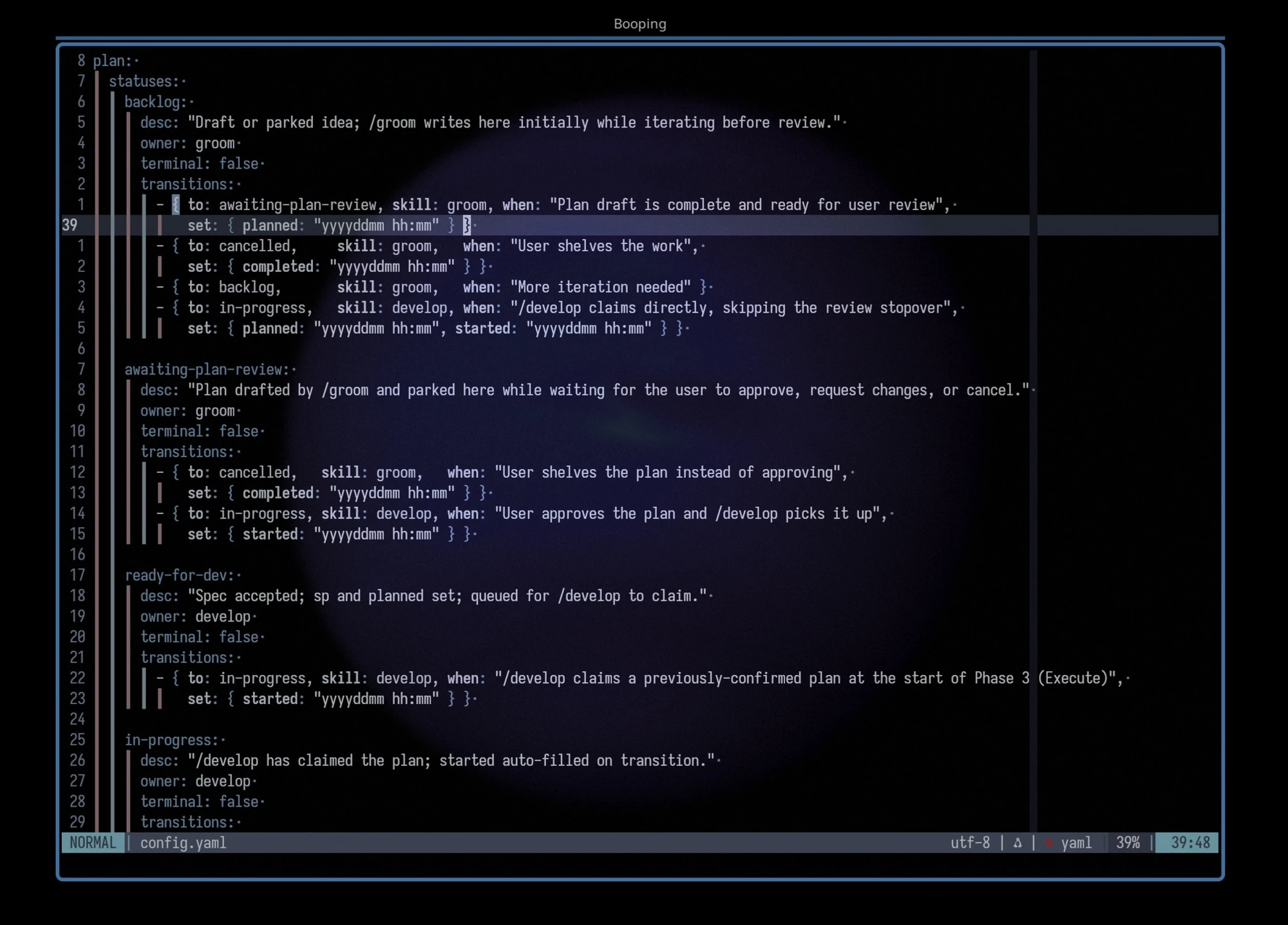
The config above renders into a clean, skill-specific table that doesn’t overshare and respects the single-owner principle.
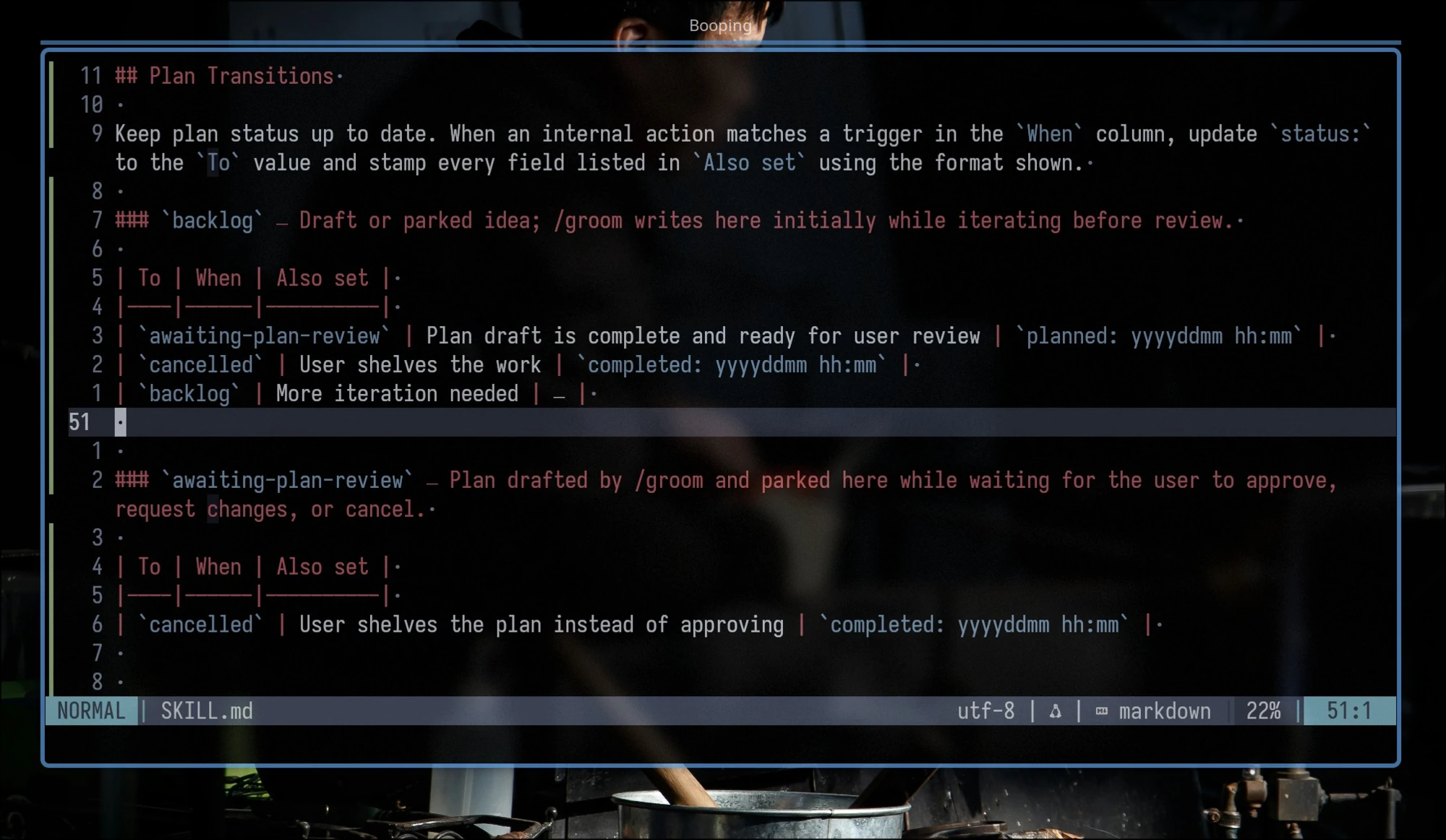
Claude Code won’t draw these boundaries for you. Pay attention to ownership by hand, then slowly extend the skills’ instructions and examples to focus Claude on following proper design and boundaries.
Does It Help? Early Numbers
I tested these patterns on the same plan, before and after the refactor.
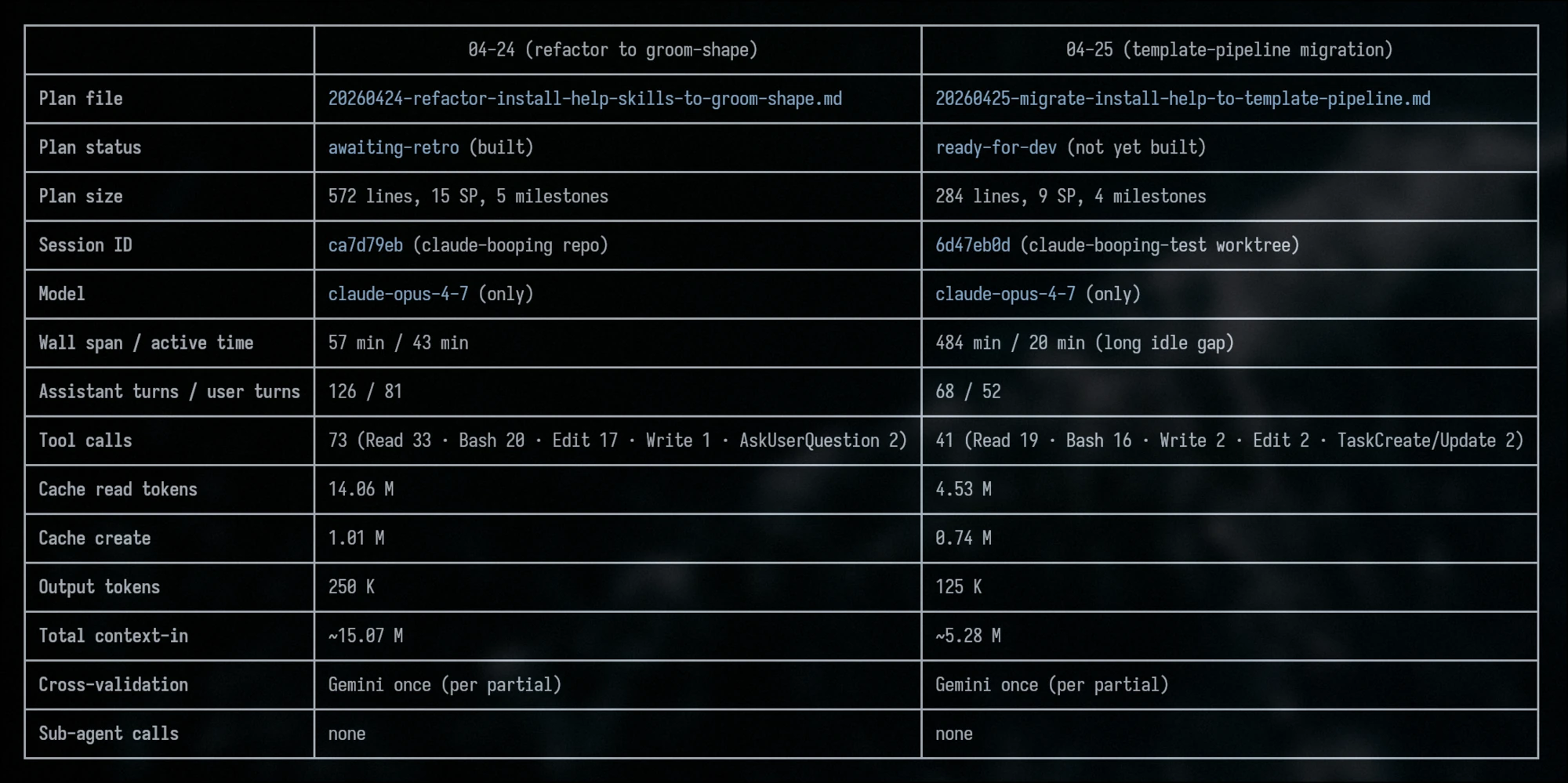
Both runs cover the same task and land the same feature. After the refactor, the plan itself came out more concise and sharper. The numbers: 2.85x less context-in, half the output tokens, half the wall-clock time, and the tool-call count dropped from 73 to 41. That’s exactly what you’d expect when skills stop chasing their own references.
booping is published. It’s alpha, and I’ll keep testing it for a while. If you want to give it a try, I’d be glad to hear feedback.